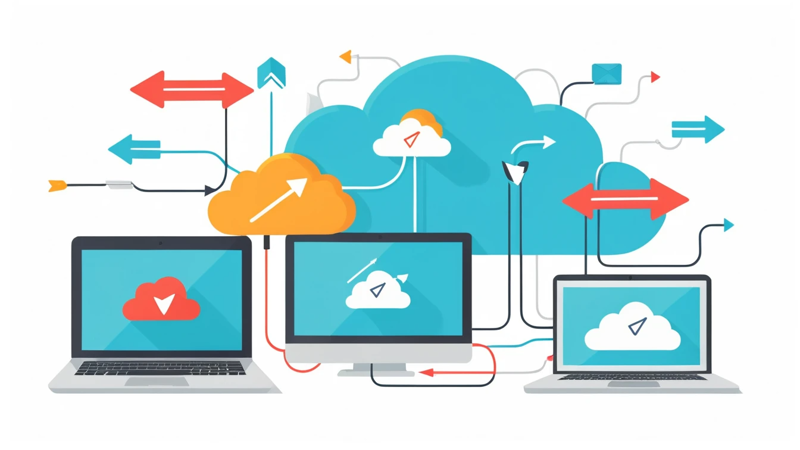
Cloud Computing Explained For Beginners – Simple & Helpful Guide
Cloud Computing explained for beginners in a simple, friendly way. Learn how the cloud works, types, benefits, examples, and how to get started.
Cloud computing allows you to store, manage, and process data over the internet instead of on your local computer. It offers flexibility, scalability, cost savings, and easy access to applications and files from anywhere. This guide explains cloud computing in simple terms for beginners.
Cloud Computing Explained For Beginners 🌥️
Have you ever wondered how you can watch movies on Netflix, use Google Drive, or back up your photos without filling up your device storage? The answer lies in cloud computing. But what exactly is “the cloud,” and how does it work?
In simple words, cloud computing means using the internet to store and access data and applications, instead of keeping them on your personal computer. It helps people and businesses work more efficiently, safely, and at lower costs.
Let’s explore this in a friendly, beginner-friendly way—no confusing tech jargon.
What Is Cloud Computing? 🤔
Cloud computing is a technology that lets you access computing resources—like storage, software, and servers—over the internet. Instead of storing everything on your device, the cloud stores it on remote servers.
So, when you upload a photo to Google Photos or stream music from Spotify, you are using the cloud.
Key idea:
You don’t own the physical hardware. You rent it from a cloud provider like:
- Amazon Web Services (AWS)
- Microsoft Azure
- Google Cloud Platform (GCP)
You just pay for what you use, like paying for electricity.
Why Is Cloud Computing Important? 🌍
Cloud computing has become the backbone of modern business and personal technology. It offers:
- Lower costs
- Faster performance
- Easy scaling
- Remote access from anywhere
Businesses no longer need large server rooms. Individuals no longer need giant hard drives. Everything runs smoothly in the cloud.
How Does Cloud Computing Work? ⚙️
The cloud works through data centers—giant buildings full of powerful computers. Your data is stored on these computers. When you request a file or open an app, the cloud provider sends the data to your device through the internet.
Think of it like online banking:
You don’t physically hold your money. But you can access it anytime.
Common Examples Of Cloud Computing In Daily Life 💡
- Google Drive → Store and share files
- Netflix → Stream movies
- Zoom → Video meetings
- Dropbox → Cloud file storage
- Gmail → Email in the cloud
You’re probably already using cloud computing without even realizing it.
Benefits Of Cloud Computing ✅
| Benefit | Description |
| Cost Savings | No need to buy expensive servers. Pay-as-you-go model. |
| Accessibility | Access files and apps from any device. |
| Scalability | Easily upgrade storage or power as needed. |
| Security | Data backups and protection systems are built-in. |
| Collaboration | Multiple users can work on the same files in real time. |
These advantages are why cloud computing is growing so fast.
Different Types Of Cloud Computing Services 🧩
There are three main service models:
- IaaS (Infrastructure as a Service)
You rent server space and hardware.
Example: AWS EC2, Google Compute Engine
- PaaS (Platform as a Service)
Developers get tools to build apps without managing servers.
Example: Heroku, Google App Engine
- SaaS (Software as a Service)
Software is delivered over the internet.
Example: Gmail, Zoom, Salesforce
Types Of Cloud Deployment Models ☁️
| Cloud Type | Who Uses It | Features |
| Public Cloud | General public and businesses | Shared resources, low cost |
| Private Cloud | One organization | High security, custom control |
| Hybrid Cloud | Mix of public & private | Flexible and scalable |
How Cloud Computing Saves Money 💰
Cloud computing eliminates:
- Hardware purchases
- Server maintenance
- IT staff costs
Instead, you rent computing resources and only pay for what you use. This helps businesses avoid expensive upfront costs.
Is Cloud Computing Secure? 🔐
Yes—if configured properly.
Cloud providers use:
- Data encryption
- Firewalls
- Multi-factor authentication
- Backup & recovery systems
However, users must follow security best practices—like strong passwords.
Cloud Computing vs. Traditional Computing 🆚
| Feature | Cloud Computing | Traditional Computing |
| Location | Online | Local device |
| Cost | Pay as you go | High upfront investment |
| Storage | Scalable | Limited |
| Maintenance | Done by provider | Done by user/company |
| Collaboration | Easy | Difficult |
Cloud computing is more flexible and cost-effective.
Who Uses Cloud Computing? 🧑💻
Cloud computing is used across many industries:
- Healthcare
- Education
- Finance
- Entertainment
- Government
- Technology startups
From small businesses to global corporations—everyone benefits.
Skills Needed To Learn Cloud Computing 📚
You don’t need to be a programmer. But these skills help:
- Basic networking concepts
- Understanding of operating systems
- Familiarity with computer storage and databases
Beginners often start with AWS or Google Cloud tutorials online.
Cloud Storage Explained 🗂️
Cloud storage works by saving your data to remote servers. You can upload, retrieve, and share your files anytime through the internet.
Examples:
- Google Drive
- OneDrive
- iCloud
- Mega
- Dropbox
You can start with free plans and upgrade when needed.
Future Of Cloud Computing 🚀
Cloud computing will continue to grow, powering technologies like:
- Artificial Intelligence (AI)
- Machine Learning
- Internet of Things (IoT)
- Metaverse applications
- Smart automation
The world is becoming more digital, and the cloud is leading the transformation.
Key Takeaways 📌
| Point | Summary |
| Cloud computing uses the internet to store and run apps | No need for local storage |
| It saves money and increases efficiency | Great for both individuals & businesses |
| Many everyday services use the cloud | Netflix, Gmail, Zoom, etc. |
| It has a strong future | More industries are adopting cloud technology |
Conclusion 🎯
Cloud computing is not as complicated as it sounds. It simply allows people to use powerful online systems without owning them. Whether you’re streaming movies, storing files, running a business, or building apps, the cloud makes life easier.
As technology grows, cloud computing will play an even bigger role. Understanding it today puts you ahead in tomorrow’s digital world.
FAQs ❓
- What is cloud computing in simple words?
Cloud computing means storing and accessing data online instead of on your computer. It lets you use apps and files from anywhere. It’s fast and flexible. - Is cloud computing safe for personal files?
Yes, cloud storage is secure if you use strong passwords and enable two-factor authentication. Providers use advanced security systems. Your data is typically safer than on a personal device. - What are examples of cloud computing services?
Examples include Google Drive, Netflix, Amazon Web Services, Dropbox, and Microsoft OneDrive. These services store and manage data online. - Does cloud computing require coding?
No, not always. Many cloud services are easy to use without coding. However, coding helps if you want to create or customize cloud-based applications. - How do I start learning cloud computing as a beginner?
Begin by learning basic networking and storage concepts. Then try free trials from AWS, Google Cloud, or Microsoft Azure. Practice small projects to build confidence.