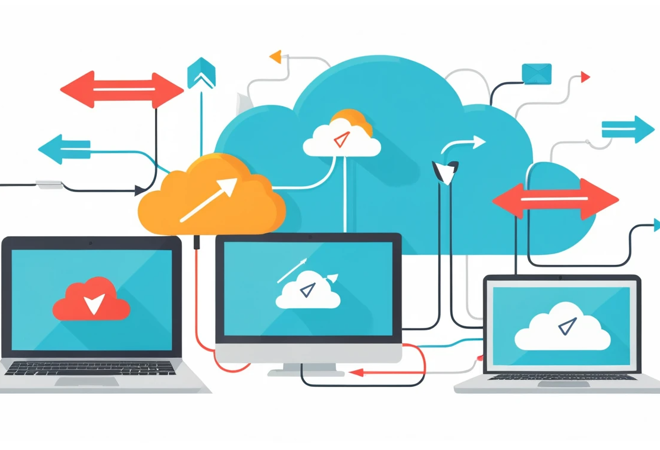
Best CRM Tools for Small Businesses – Top Smart Picks for Growth
Best CRM Tools for Small Businesses that boost sales, automate workflows, and improve customer relationships. Compare features, pricing, and benefits.
The best CRM tools for small businesses help manage customer interactions, track sales, automate tasks, and improve team collaboration. The right CRM saves time, increases revenue, and makes growth easier.
Have you ever felt like your business is doing great, but your leads, customer conversations, and follow-ups are scattered everywhere? 📉 You’re not alone. Many small business owners run into the same challenge — and that’s where CRM software steps in.
The truth is, a reliable CRM isn’t just “nice to have” anymore — it’s a necessity. If you want your business to grow consistently, stay organized, and convert more leads, you need a system that keeps everything in one place.
In this guide, we’ll break down the best CRM tools for small businesses, what makes them great, and how to choose one that aligns with your goals — without wasting money.
Why CRM Matters For Small Businesses 💡
Customer Relationship Management (CRM) tools help businesses stay connected with customers, improve workflows, increase sales, and streamline communication. When everything is tracked in one hub, it becomes easier to build strong relationships and move leads through the sales funnel smoothly.
Small businesses especially benefit because:
- It reduces manual work ✍️
- Improves sales forecasting
- Helps track conversations and follow-ups
- Enhances team productivity
- Keeps customer data organized and secure
Whether you’re a solo entrepreneur or a growing team, a CRM brings control and clarity.
What To Look For In A Small Business CRM 🔍
Not every CRM is created equal. Before choosing one, consider these factors:
- Ease of Use – Simple dashboards and quick onboarding
- Customization – Fields, pipelines, and automations that match your workflow
- Affordable Pricing – Plans that scale as your business grows
- Mobile Access – Manage leads and communication on the go 📱
- Integration Support – Works smoothly with email, marketing tools, and apps you already use
If a CRM feels complicated, you won’t use it — so user-friendliness is key.
Best CRM Tools For Small Businesses 🏆
HubSpot CRM – Best Free CRM To Start With 🎯
HubSpot CRM is one of the most popular options for small businesses, especially because it offers a generous free plan. It includes contact management, sales pipeline visualization, live chat, and email tracking.
Why Businesses Love It:
- Completely free to start
- Easy drag-and-drop pipeline
- Excellent email marketing features
However, as you grow and add more features, paid plans can become expensive.
Zoho CRM – Best Budget-Friendly CRM 💸
Zoho CRM is great for small teams that want solid features without breaking the bank. It offers powerful automation options and integrates seamlessly with Zoho’s full tool suite.
Key Benefits:
- Very affordable pricing
- Includes lead scoring and workflow automation
- Perfect for remote teams
If you prefer simple tools, Zoho may feel a bit feature-heavy at first.
Salesforce Essentials – Best For Fast-Growing Teams 🚀
Salesforce is the industry leader in CRM, and Salesforce Essentials is its simplified small business plan. It offers deep reporting, automation, and customization features.
Pros:
- Strong data analytics
- Works extremely well with larger sales teams
But it comes with a learning curve and higher pricing.
Feature Comparison Table
| CRM Tool | Best For | Price Range | Ease of Use | Standout Feature |
| HubSpot CRM | Free Starter Users | Free to $$ | Very Easy | Marketing + Sales in One |
| Zoho CRM | Budget-Conscious Teams | $ to $$ | Moderate | Workflow Automation |
| Salesforce Essentials | Scaling Businesses | $$ to $$$ | Moderate | Advanced Customization |
| Pipedrive | Sales-Driven Teams | $ to $$ | Easy | Visual Pipeline Display |
| Freshsales | Multi-Channel Engagement | $ to $$ | Easy | Built-In Calling & Chat |
Pipedrive – Best CRM For Sales Teams 💼
Pipedrive focuses on sales pipeline management. If your goal is to convert leads faster, this CRM may be exactly what you need.
Top Features:
- Clean visual sales pipeline
- Automation for repetitive tasks
- Smart reporting insights
It’s great for sales-focused companies but less ideal for complex marketing workflows.
Freshsales – Best CRM With Built-in Calling & Chat ☎️
Freshsales by Freshworks offers contact scoring, built-in calling features, and AI-powered suggestions.
Highlights:
- Email + phone + chat in one platform
- AI lead scoring helps prioritize sales
- Good customer support tools
If customer communication is your priority, Freshsales is a strong pick.
Small Business CRM Price Breakdown 💰
| CRM | Free Plan? | Starting Cost (Monthly) | Notable Limit |
| HubSpot | Yes ✅ | $20+ | Paid features scale quickly |
| Zoho CRM | Yes ✅ | $14+ | Interface has a learning curve |
| Salesforce | No ❌ | $25+ | Can get pricey |
| Pipedrive | No ❌ | $15+ | Limited marketing tools |
| Freshsales | Yes ✅ | $12+ | Fewer integrations compared to HubSpot |
Benefits Of Using A CRM In Daily Operations 🔄
Once you start using a CRM, you’ll notice improvements in how smoothly your business runs.
Key Benefits:
- Faster follow-ups and fewer missed sales opportunities
- Better team coordination and transparency
- Consistent customer experience at every stage
- Accurate forecasting to plan sales strategies
Even a small improvement in follow-up efficiency can dramatically increase revenue.
CRM Tools For Specific Business Types 🧩
For Freelancers & Consultants ✍️
Choose something simple and automated, like HubSpot or Pipedrive.
For Online Stores 🛍️
Look for e-commerce integration — Zoho or HubSpot works great with Shopify and WooCommerce.
For Local Service Businesses 🏠
Pick a CRM with SMS, calling, and appointment scheduling — Freshsales is ideal.
Tips For Successfully Implementing A CRM ✅
Even the best CRM won’t help if your team doesn’t use it properly. Here’s how to roll it out smoothly:
- Start with basic features
- Train your team (even if small)
- Set up clear pipeline stages
- Automate repetitive tasks
- Review performance every month
Small, consistent improvements make the biggest difference.
Final Comparison Table
| Feature Need | Best CRM Recommendation |
| Best Free Option | HubSpot CRM |
| Best Budget Choice | Zoho CRM |
| Best for Fast Growth | Salesforce |
| Best for Sales Teams | Pipedrive |
| Best for Customer Support | Freshsales |
Conclusion 🎉
The best CRM tool for your small business comes down to your goals, budget, and workflow style. If you’re just starting, HubSpot is a safe and powerful free option. For affordability, go with Zoho. If you’re scaling fast, Salesforce may be your best fit.
What matters most is choosing a CRM you’ll actually use — consistently. Once you do, your sales become predictable, your customers feel valued, and your business becomes easier to run.
FAQs
- What is the best CRM for new small businesses?
HubSpot CRM is one of the best options for beginners because it’s free, user-friendly, and works for both marketing and sales tasks. - Which CRM is easiest to learn?
Pipedrive is known for its simple interface and visual pipeline, making onboarding quick and stress-free. - Can a CRM help increase sales?
Yes. A CRM ensures you follow up consistently, track leads efficiently, and communicate professionally — all of which boost conversions. - Do I need a CRM if I run a solo business?
Even solo entrepreneurs benefit because a CRM keeps customer interactions organized and saves time. - Which CRM has the best automation features?
Zoho CRM and Salesforce offer the most powerful automation workflows for growing teams.